Top Social Media Tools Every Marketer Needs in 2026
The top 10 social media management tools for 2026 compared: Quuu, Buffer, Hootsuite, Sprout Social, and more on features, pricing, and best-fit use case.
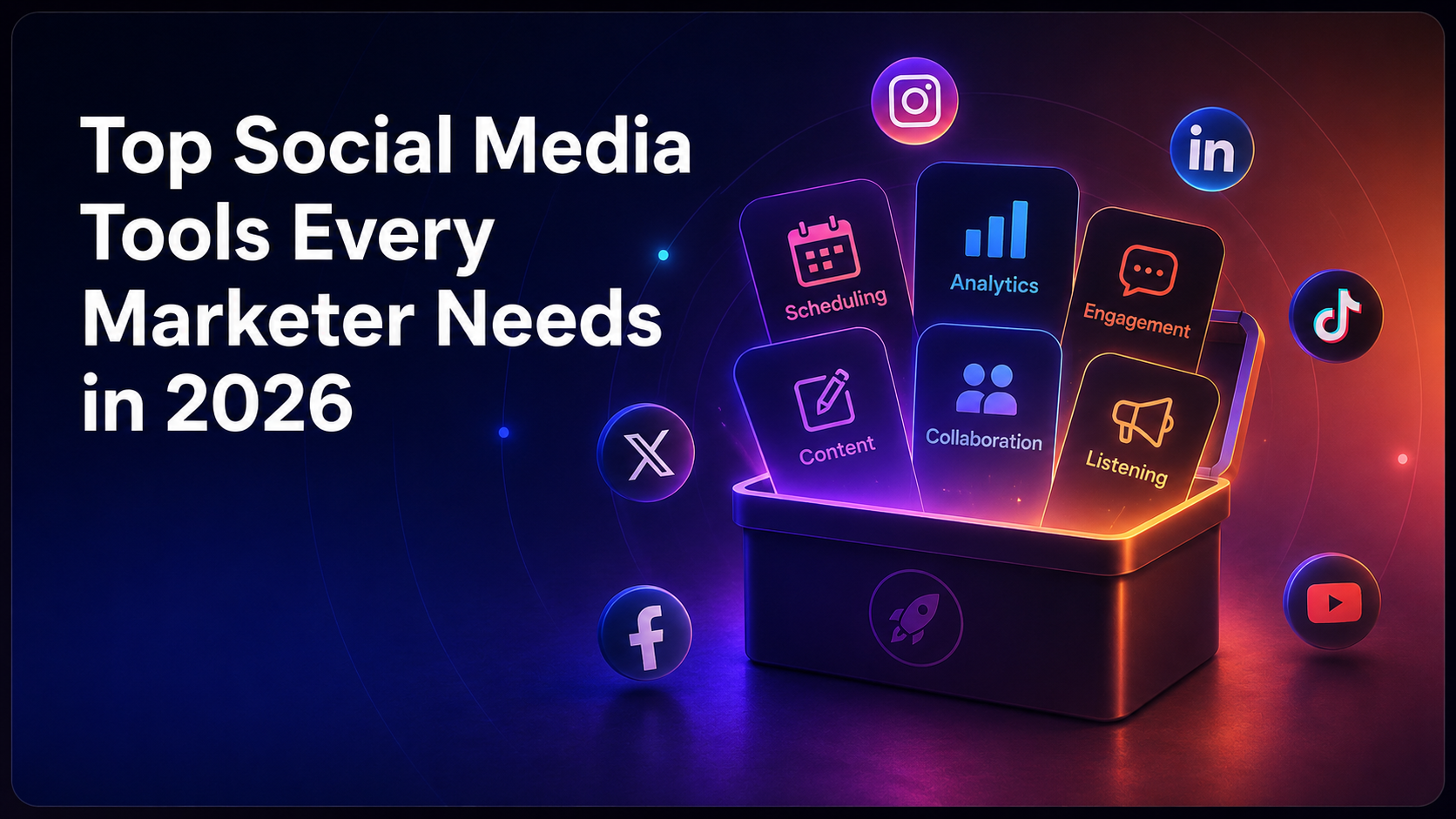
Top 10 Social Media Tools Every Marketer Needs in 2026
The top social media management tools in 2026 are Buffer, Hootsuite, Sprout Social, Later, Agorapulse, Sendible, SocialBee, Metricool, Quuu, Publer, and MeetEdgar. Each tool handles social media scheduling and publishing across major platforms including Instagram, TikTok, Facebook, LinkedIn, X/Twitter, Threads, and Bluesky, with pricing ranging from free plans to enterprise tiers above $500 per month. The global social media management market was valued at USD 29.9 billion in 2025 and is projected to reach USD 36.4 billion in 2026 according to Grand View Research's social media management market report, which tells you something important: this is not a niche corner of marketing anymore.

Global social media management market: $29.9B (2025) to $36.4B (2026) — a sign this category has gone mainstream.
Managing six or seven social media platforms manually is, frankly, a recipe for burnout. The typical social media user now actively uses 6.75 different social networks per month according to Sprout Social's social media demographics research. Your audience is spread across all of them. The right social media management tool brings that chaos into one place, handles social media scheduling, surfaces analytics that actually matter, and gives your team a way to collaborate without everything falling through the cracks. This list covers what each tool does well, who it suits, and what you'll pay.

The average person uses ~6.75 social networks monthly — your audience is spread across platforms.
What Social Media Management Tools Do and Why You Need One
Social media management tools are software platforms that centralize social media scheduling, publishing, analytics, inbox management, and team collaboration across multiple social media platforms in a single dashboard.
Without one, you're logging into Facebook, Instagram, TikTok, LinkedIn, X/Twitter, Threads, and Bluesky separately, every day, to post content and check performance. That's unsustainable for any marketer handling more than one account. The result is inconsistent posting, missed comments, and zero visibility into what's actually working.
The numbers back this up. There were 5.79 billion social media user identities worldwide at the start of April 2026, equivalent to 69.9% of the global population according to DataReportal's global social media user data. People spend an average of approximately 2 hours and 21 to 23 minutes per day on social platforms globally according to Blog2Social's monthly active users research. That's a massive amount of attention. A good social media management tool helps you reach that audience consistently, not just when you remember to post.
And AI is changing the game fast. As of Q1 2026, 87% of marketers now use generative AI in at least one recurring workflow according to Digital Applied's AI marketing statistics for 2026. Most of the tools in this list have built AI features directly into their content creation and scheduling workflows. That's worth paying attention to when you're comparing options.

87% of marketers use generative AI in at least one recurring workflow as of Q1 2026.
For a deeper look at how automation fits into your broader strategy, our guide to social media automation tools covers the mechanics in detail.
How We Evaluated These Social Media Management Tools
Each social media management tool in this list was evaluated on six criteria: supported social media platforms, social media scheduling and publishing features, social media analytics depth, AI features, team collaboration and approval workflows, and pricing including free plan or free trial availability.
Tools were scored on real platform support, not just marketing copy. If a tool claims to support Bluesky but the integration is shallow, that counts against it. Pricing was verified against each tool's current published plans. Free plan limitations are noted honestly because a free plan that locks out analytics is barely useful.
The list covers tools suited to solo creators, small businesses, agencies, and enterprise teams. No single tool wins every category, so the best-for labels matter. Find your use case, then look at the tools built for it.
Quick Comparison: Top 10 Social Media Management Tools
The table below summarizes the key details for each tool so you can shortlist quickly before reading the full breakdowns.
Tool | Best For | Free Plan | Starting Price | Key Strength |
|---|---|---|---|---|
Creators and small businesses | Yes (3 channels) | $6/month per channel | Clean scheduling, affordable pricing | |
Social listening and larger teams | No (free trial) | $99/month | Social listening, broad platform support | |
Advanced analytics and enterprise | No (30-day free trial) | $199/month | Analytics depth, CRM features | |
Visual content planning | Yes (limited) | $16.67/month | Instagram-first visual calendar | |
Social inbox management | Yes (1 user, 3 profiles) | $49/month | Unified inbox, ROI reporting | |
Agencies and client management | No (14-day free trial) | $29/month | White-labeling, client workflows | |
Content recycling and categories | No (14-day free trial) | $29/month | Category-based content recycling | |
Analytics-focused marketers | Yes (1 brand) | $22/month | Competitor benchmarking, ad analytics | |
Content curation and discovery | Yes | $19.99/month | Human-reviewed content suggestions | |
Budget-conscious teams | Yes (3 accounts) | $12/month | Bulk scheduling, Canva integration |
1. Buffer: Best for Creators and Small Businesses
Buffer is a social media management tool that offers scheduling posts across Instagram, Facebook, X/Twitter, LinkedIn, TikTok, Threads, Bluesky, and Pinterest, with a free plan covering three channels and paid plans starting at $6 per month per channel.
The pricing model is genuinely different from almost every other tool in this space. You pay per channel, not per user. For a solo creator or a small team managing a handful of accounts, that keeps costs predictable. A business managing five channels pays $30 per month on the Essentials plan. That's it.
What Buffer Does Well
Buffer's social media scheduling interface is clean. No learning curve. You connect your accounts, queue your posts, and set a posting schedule. The AI assistant handles caption drafts and post variations, which saves real time when you're posting across multiple social media platforms daily.
The social media analytics in Buffer cover engagement, reach, and follower growth. They're solid for most small businesses. What they're not is deep. If you need competitor benchmarking or detailed ROI reporting, you'll hit the ceiling quickly.
Buffer Pros and Cons
Pros: Free plan with real functionality, per-channel pricing that scales predictably, clean scheduling interface, AI assistant for content creation, supports Threads and Bluesky
Cons: Analytics are basic compared to Sprout Social or Metricool, no social listening features, inbox management is limited on lower plans
Free plan: Yes, 3 channels, limited analytics. Free trial: 14 days on paid plans. Best for: Solo creators, newsletters, small businesses wanting simple scheduling posts without enterprise pricing.
2. Hootsuite: Best for Social Listening and Larger Teams
Hootsuite is a social media management platform that covers social media scheduling, social listening, team collaboration, and social media analytics across Facebook, Instagram, X/Twitter, LinkedIn, TikTok, YouTube, Pinterest, and Threads, with plans starting at $99 per month.

Hootsuite homepage highlighting scheduling, analytics, and listening capabilities.
The price jump from Buffer is significant. But Hootsuite is solving a different problem. It's built for teams that need approval workflows, role-based access, and brand monitoring running in the background, not just a queue for scheduling posts.
Social Listening and Brand Monitoring
Social listening is where Hootsuite earns its price tag. You can track brand mentions, relevant keywords, and competitor conversations across platforms in near real time. For larger businesses managing reputation or tracking campaign performance, that's a meaningful capability.
The AI assistant in Hootsuite generates captions, suggests optimal post times based on your audience's activity, and can repurpose content across formats. It's more integrated into the workflow than it was two years ago. US social media ad spend grew 16.6% in 2025 to reach $96.5 billion according to Marketing Charts' social media ad spend data, and Hootsuite's analytics let you connect organic and paid performance in one view, which matters when that much money is moving through social ads.

US social media ad spend hit $96.5B in 2025 (+16.6% YoY) — connecting paid and organic matters.
Hootsuite Pros and Cons
Pros: Strong social listening and brand monitoring, team collaboration and approval workflows, broad platform support including YouTube, AI assistant for content creation, detailed social media analytics
Cons: No free plan, $99/month starting price is steep for solo users, interface feels busy compared to Buffer or Later, some advanced features require higher-tier plans
Free plan: No. Free trial: 30 days. Best for: Marketing teams of 3 or more people who need social listening and structured approval workflows.
3. Sprout Social: Best for Advanced Analytics and Enterprise
Sprout Social is an enterprise-grade social media management platform offering advanced social media analytics, a unified social inbox, social listening, CRM integration, and team collaboration tools, with plans starting at $199 per month per user.
That price will immediately filter out most small businesses. And that's fine, because Sprout Social is not trying to be Buffer. It's built for teams that need to prove the business impact of social media, not just manage a content calendar.
Analytics and Reporting Depth
Sprout Social's analytics go further than any other tool in this list. You get competitive benchmarking, sentiment analysis, custom report builders, and performance data that maps to business outcomes. The social media analytics dashboards are genuinely impressive and exportable in formats that work for executive reporting.
The unified inbox management is one of Sprout's strongest features. Comments, DMs, and mentions across all connected social media platforms land in one place. Your team can assign, tag, and resolve conversations without switching tabs.
Sprout Social Pros and Cons
Pros: Best-in-class social media analytics, strong social listening and sentiment analysis, unified inbox for team inbox management, CRM integration, AI assistant for content and scheduling optimization
Cons: Expensive at $199/month per user, no free plan, cost escalates sharply with team size, overkill for solo marketers or small businesses
Free plan: No. Free trial: 30 days. Best for: Mid-market and enterprise marketing teams that need deep social media analytics and can justify the investment with measurable ROI.
If you're weighing Sprout Social against other AI-powered options, our look at mastering social media presence with AI-driven tools covers how these platforms are changing the way teams work.
4. Later: Best for Visual Content Planning
Later is a social media management tool built around a visual content calendar that makes scheduling posts for Instagram, TikTok, Facebook, Pinterest, LinkedIn, and X/Twitter feel intuitive, with a free plan available and paid plans starting at $16.67 per month.

Later’s visual planner centers on Instagram and TikTok scheduling.
The drag-and-drop visual planner is what makes Later different. You can see your Instagram grid before you post, rearrange posts visually, and plan your feed aesthetic without switching between apps. For brands where visual consistency matters, that's genuinely useful.
Instagram-First Features
Later's deepest functionality is still built around Instagram. The link in bio tool, story scheduling, and Reels planning all work smoothly. TikTok scheduling is solid too. The social media analytics cover the basics: reach, engagement, follower growth, and best posting times.
The AI assistant helps with caption generation, hashtag suggestions, and repurposing content across formats. It's not as sophisticated as Sprout Social's AI features, but it handles the everyday content creation tasks well.
Later Pros and Cons
Pros: Visual content calendar is genuinely intuitive, strong Instagram and TikTok support, link in bio tool included, free plan available, AI assistant for captions and hashtags
Cons: Less capable for LinkedIn and X/Twitter than Instagram-focused features, social listening not available, team collaboration features are limited on lower plans
Free plan: Yes, with limited posts. Free trial: 14 days on paid plans. Best for: Visual brands, creators, and e-commerce businesses whose content strategy centers on Instagram and TikTok.
5. Agorapulse: Best for Social Inbox Management
Agorapulse is a social media management platform with one of the strongest unified inbox management systems available, covering Facebook, Instagram, X/Twitter, LinkedIn, TikTok, and YouTube, with a free plan for one user and three profiles, and paid plans starting at $49 per month.

Agorapulse emphasizes unified inbox and ROI reporting.
Most tools treat inbox management as a secondary feature. Agorapulse treats it as a primary one. Every comment, DM, mention, and review lands in the unified inbox. You can assign conversations to team members, add internal notes, and mark items resolved without losing the thread.
ROI Reporting That Actually Makes Sense
Agorapulse's social media analytics include ROI reporting that connects social activity to Google Analytics conversions. For teams that struggle to justify their social budget, that's a genuinely useful capability. The social media analytics dashboards are clean and the reports are straightforward to export.
Team collaboration features are well built. Approval workflows let managers review posts before they go live. Role-based access keeps clients or junior team members in their lane. The free plan is more generous than most, making it worth testing before committing.
Agorapulse Pros and Cons
Pros: Best unified inbox management in this list, strong team collaboration and approval workflows, ROI reporting linked to Google Analytics, generous free plan, social media scheduling across major platforms
Cons: Social listening is limited compared to Hootsuite or Sprout Social, AI features are less developed than competitors, price rises quickly with additional users
Free plan: Yes, 1 user and 3 profiles. Free trial: 30 days on paid plans. Best for: Teams that handle high comment and DM volume and need structured inbox management and approval workflows.
6. Sendible: Best for Agencies and Client Management
Sendible is a social media management tool designed for agencies managing multiple client accounts, offering white-labeling, client approval workflows, bulk scheduling posts, and social media analytics across Facebook, Instagram, X/Twitter, LinkedIn, TikTok, YouTube, and Google Business Profile, with plans starting at $29 per month.

Sendible’s agency-focused platform with white-label options.
The white-labeling capability is the real differentiator. You can present Sendible to clients under your own brand name and domain. For agencies that want to look like they've built their own platform, that's a significant commercial advantage.
Client Workflows and Collaboration
Sendible's approval workflows let clients review and sign off on posts before they publish. The content calendar is shared, clients can comment directly, and nothing goes live without the right sign-off. For agencies managing 10 or 20 clients simultaneously, that kind of structure is not optional.
The social media analytics reports can be white-labeled and scheduled to send automatically to clients. The AI assistant handles caption drafts and content ideas, which helps agencies keep up with content creation volume without adding headcount.
Sendible Pros and Cons
Pros: White-labeling for agencies, strong client approval workflows, bulk scheduling posts, white-labeled analytics reports, Google Business Profile support
Cons: No free plan (14-day free trial only), social listening is basic, inbox management is less polished than Agorapulse
Free plan: No. Free trial: 14 days. Best for: Digital marketing agencies managing multiple client accounts who need white-labeling and client-facing approval workflows.
7. SocialBee: Best for Content Recycling and Category Management
SocialBee is a social media management tool built around category-based content scheduling that automatically recycles evergreen posts, supports Facebook, Instagram, X/Twitter, LinkedIn, TikTok, Pinterest, Threads, Bluesky, and Google Business Profile, and offers plans starting at $29 per month with a 14-day free trial.

SocialBee’s category-based scheduling and recycling workflow.
The category system is what makes SocialBee genuinely different. Instead of a simple content queue, you organize posts into categories, like educational, promotional, curated, or engagement, and set posting rules per category. Evergreen content gets recycled automatically. Nothing useful gets posted once and forgotten.
AI Features and Content Creation
SocialBee's AI assistant is one of the more capable in this tier. It generates captions, suggests content ideas by category, and can repurpose long-form content into social posts across multiple social media platforms. For teams producing a lot of content, that kind of AI-powered content creation support cuts production time meaningfully.
The social media analytics cover performance by category, which helps you see which content type drives the most engagement. That's a smarter way to review analytics than looking at raw post-by-post numbers.
SocialBee Pros and Cons
Pros: Category-based scheduling with automatic content recycling, strong AI assistant for content creation, broad platform support including Threads and Bluesky, analytics by content category, competitive pricing
Cons: No free plan, inbox management is limited, social listening not available, visual planning less intuitive than Later
Free plan: No. Free trial: 14 days. Best for: Businesses with a large library of evergreen content who want to automate recycling and keep scheduling posts without constant manual effort.
8. Metricool: Best for Analytics-Focused Marketers
Metricool is a social media management and analytics platform that covers organic and paid social media analytics, competitor benchmarking, social media scheduling, and social media ad analytics across Instagram, Facebook, X/Twitter, LinkedIn, TikTok, YouTube, Pinterest, Threads, Bluesky, and Google Business Profile, with a free plan for one brand and paid plans starting at $22 per month.

Metricool’s analytics-first approach with competitor benchmarking.
The analytics are the main event here. Metricool pulls performance data from organic posts and paid social ads into the same dashboard. That's genuinely useful for any marketer running paid campaigns alongside organic content, because you can see the full picture without stitching together reports from multiple tools.
Competitor Benchmarking
Metricool's competitor analysis lets you track up to a set number of competitors per plan, comparing follower growth, engagement rates, and posting frequency. For marketers who care about relative performance, not just absolute numbers, that's a meaningful capability. The social media analytics reports are detailed and exportable, which makes client reporting straightforward.
The AI assistant handles caption suggestions and optimal posting time recommendations based on your audience's historical engagement. Social media scheduling is clean and the content calendar is easy to use, though it lacks the visual drag-and-drop appeal of Later.
Metricool Pros and Cons
Pros: Strongest competitor benchmarking in this list, unified organic and paid social media analytics, broad platform support, free plan with real functionality, AI assistant for scheduling optimization
Cons: Interface takes time to learn, social listening is limited, team collaboration features are less developed than Agorapulse or Hootsuite
Free plan: Yes, 1 brand. Free trial: No, but the free plan is genuinely functional. Best for: Performance-focused marketers who run both organic and paid social and need competitor benchmarking in one place.
9. Quuu: Best for Content Curation and Discovery
Quuu is a content curation and social media management tool that provides human-reviewed content suggestions tailored to your industry, handles social media scheduling through Buffer or directly, and helps marketers maintain a consistent posting schedule without spending hours finding shareable content every week.

Quuu’s human-curated content discovery for effortless sharing.
Most content curation tools use algorithms to surface content suggestions. Quuu's suggestions go through human review first, which means you're not sifting through irrelevant or low-quality posts. That distinction matters when your reputation is attached to what you share.
How Quuu Fits Into Your Social Media Stack
Quuu works well as a complement to a full social media management platform rather than a standalone replacement for one. Connect it to Buffer and your content queue fills automatically with relevant third-party content, freeing you to focus your energy on original content creation.
The platform covers a wide range of content categories, from marketing and entrepreneurship to health, technology, and sustainability. You choose the topics that match your audience's interests, set your posting frequency, and Quuu handles the rest. It's a practical answer to one of the most common complaints in social media management: running out of things to post.
Quuu Pros and Cons
Pros: Human-reviewed content suggestions (not just algorithmic), reduces content creation workload, integrates with Buffer for social media scheduling, strong category variety, free plan available
Cons: Not a full social media management platform on its own, analytics are limited, social listening and inbox management are not core features
Free plan: Yes. Paid plans: From $19.99/month. Best for: Marketers and small businesses who want to maintain a consistent social media presence with curated content alongside their own original posts.
If you're thinking about how curation tools have changed, our post on re-evaluating curation tools in 2026 is worth reading alongside this one.
10. Publer: Best for Budget-Conscious Teams
Publer is a social media management tool that supports social media scheduling across Facebook, Instagram, X/Twitter, LinkedIn, TikTok, Pinterest, YouTube, Threads, and Google Business Profile, with a free plan covering three social accounts and paid plans starting at $12 per month.

Publer’s budget-friendly scheduler with bulk posting and Canva integration.
At $12 per month, Publer is one of the most affordable paid options in this space. And it's not cut-down. You get bulk scheduling posts, a visual content calendar, Canva integration for content creation directly inside the tool, and an AI assistant for caption generation. That's a meaningful feature set at that price point.
Bulk Scheduling and Canva Integration
The bulk scheduling feature lets you upload and schedule hundreds of posts at once via CSV. For teams producing high content volume, that's a significant time saver. The Canva integration means you can design graphics and schedule posts without leaving Publer, which keeps the content creation workflow tight.
The social media analytics are functional but not deep. You'll see engagement, reach, and follower data, but competitor benchmarking and advanced ROI reporting are not part of Publer's offering. For teams whose priority is efficient scheduling posts rather than analytics sophistication, that trade-off is reasonable.
Publer Pros and Cons
Pros: Very affordable pricing, bulk scheduling posts, Canva integration for content creation, free plan with three accounts, AI assistant for captions, broad platform support
Cons: Analytics are basic, no social listening, inbox management is limited, approval workflows less structured than Sendible or Agorapulse
Free plan: Yes, 3 accounts. Free trial: 14 days on paid plans. Best for: Small teams and freelancers who need reliable social media scheduling and content creation tools without a large monthly budget.
What to Look For When Choosing a Social Media Management Tool
The right social media management tool depends on four things: which social media platforms your audience uses, your team size, how much you care about social media analytics, and what you can afford.
Platform support should be the first filter. If your audience is on TikTok and Bluesky, a tool that only covers Facebook and Instagram is not useful regardless of its other features. Check the platform list carefully before committing to a free trial.
Pricing Models Matter More Than You Think
Social media management tools price in very different ways. Buffer charges per channel. Sprout Social charges per user. SocialBee and Sendible charge per plan tier with a set number of profiles. The model that's cheapest for you depends entirely on how many channels and how many team members you're managing.
A per-channel model like Buffer's is usually better for solo creators and small businesses. A per-user model like Sprout Social's gets expensive fast for larger teams. Do the maths before the free trial ends.
AI Features Are Now Table Stakes
Every serious social media management tool now has some form of AI assistant. The quality varies. The best implementations, Hootsuite, Sprout Social, and SocialBee among them, use AI to generate captions, suggest posting times based on audience behavior, and repurpose content across formats. The weaker implementations are little more than a basic text generator bolted onto the scheduling interface.
Ask specifically: does the AI assistant connect to your actual analytics? Can it repurpose a long-form blog post into five social posts? Can it adjust tone per platform? Those questions separate genuinely useful AI features from marketing noise.
Don't Ignore Inbox Management
Social media inbox management is underrated. Comments and DMs left unanswered damage engagement rates and brand perception. If your team handles significant community engagement, prioritize tools with a proper unified inbox. Agorapulse and Sprout Social lead here. Buffer and Later are much weaker on this front.
For a broader view of how to pick the right platform for your specific situation, our guide to choosing the right automation tool for your brand walks through the decision framework in detail.
The Role of AI in Social Media Management in 2026
AI features in social media management tools in 2026 go well beyond caption generation, with the leading platforms now offering AI-powered posting time optimization, sentiment analysis, content repurposing across formats, and performance prediction built directly into the scheduling and analytics workflow.
The shift is real. US social commerce sales surpassed $100 billion in 2026 for the first time according to SQ Magazine's social commerce statistics report. Social media is now a direct sales channel, and AI tools that optimize content for conversion, not just engagement, are becoming genuinely valuable.

US social commerce sales topped $100B in 2026 — social is now a direct sales channel.
The tools using AI most effectively are connecting the content creation side to the analytics side. You write a post, the AI suggests edits based on what's performed well with your specific audience, recommends the best time to publish, and flags whether the tone matches the platform. That feedback loop used to require a dedicated analyst. Now it's built into the scheduling workflow.
The global influencer marketing market reached approximately $32 to 33 billion in 2025 according to Statista's global influencer market size data, and many social media management tools are starting to add influencer discovery and tracking features alongside their core scheduling and analytics capabilities. Watch that space. It's becoming part of the standard feature set.
Our post on maximizing social media efficiency with AI-powered tools covers the practical side of integrating these features into your workflow without the hype.
Which Social Media Tool Should You Actually Choose?
The best social media management tool for most small businesses and solo creators is Buffer: simple social media scheduling, a real free plan, per-channel pricing that scales without surprises, and solid enough analytics for most use cases. Start there if you're not already using something.
If your team is three or more people and brand monitoring matters, move to Hootsuite. The social listening capability alone justifies the price jump for businesses where reputation is on the line.
For agencies, Sendible's white-labeling and client approval workflows are genuinely hard to replicate elsewhere at that price point. For enterprise teams that need to prove social ROI to a CFO, Sprout Social's analytics depth is worth the investment.
Metricool is the underrated pick for performance marketers running paid and organic together. Agorapulse is the right answer if inbox management is your main pain point. And if your biggest challenge is finding good content to share in the first place, Quuu solves a problem the other tools don't address at all.
The honest answer is that most social media management tools in 2026 are good at the basics. The differences show up in the features that matter for your specific situation: analytics depth, AI quality, inbox management, platform support, and how the pricing model matches your team structure. Use the free plans and free trials. Test with your actual accounts. The right tool is the one your team will actually use consistently, not the one with the longest feature list.
For a broader view of the tools that underpin strong social media management, our roundup of top tools every social media manager needs to know covers the wider toolkit beyond scheduling and analytics platforms.