Nonprofit Fundraising Software: 10 Top Picks
Compare 10 nonprofit fundraising software options by features, pricing approach, use case, CRM fit, limitations, and campaign promotion needs.
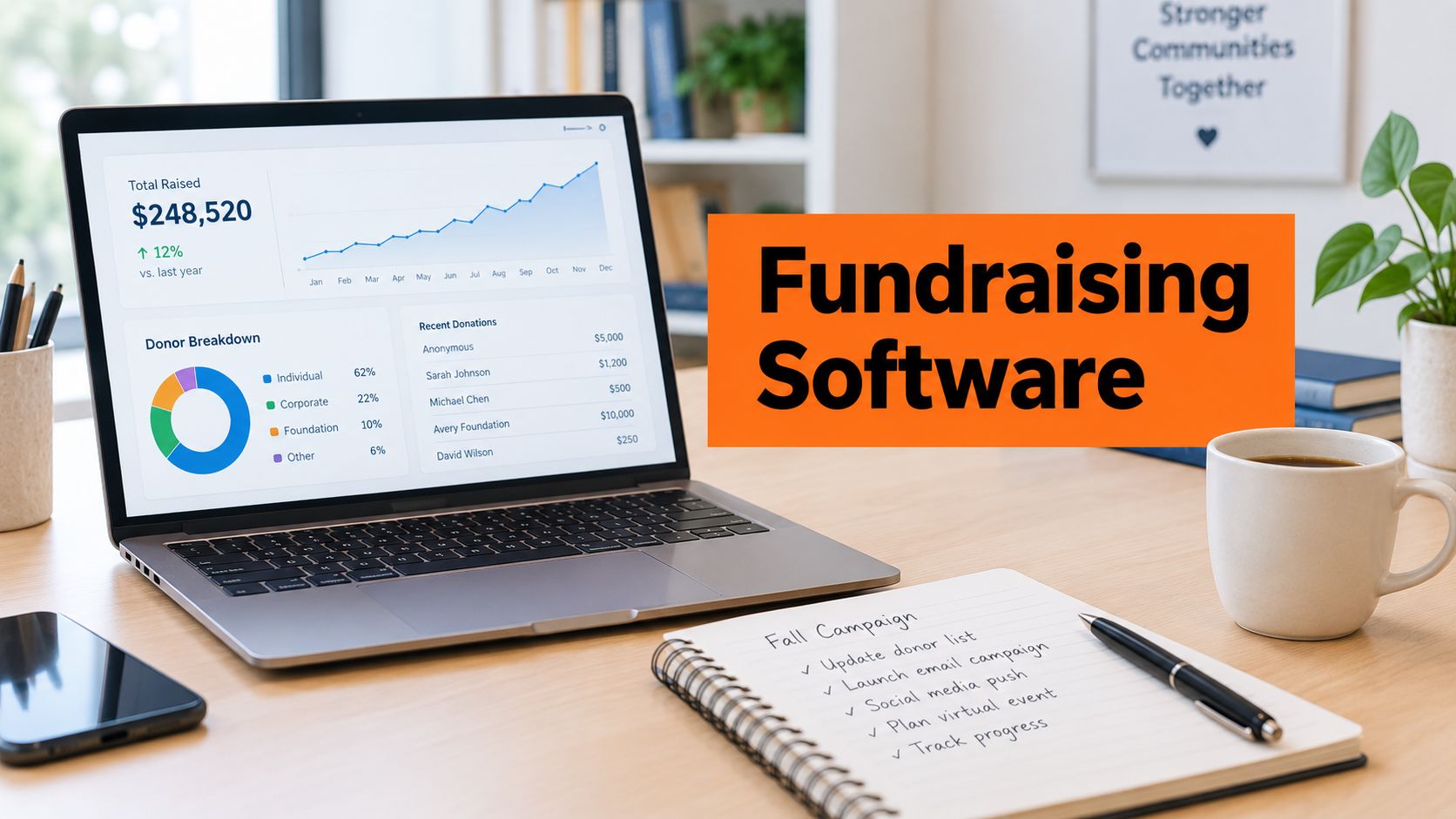
A nonprofit needs a donation page that works, campaign reporting that staff can trust, and donor records that don't require hours of manual cleanup. At the same time, the team may be small, staff time is limited, and next year's budget may look very different from this year's. Choosing the longest feature list won't solve that problem.
The better approach is to choose the fundraising workflow first, then select the platform that supports it. A campaign-led organization may need polished peer-to-peer tools and event registration. A membership nonprofit may care more about recurring payments and renewals. A larger development team may need deep CRM controls, portfolio management, accounting integrations, and governance.
This comparison evaluates eleven nonprofit fundraising software platforms by the operating problem they solve. Each review considers the donation and campaign experience, CRM and reporting depth, events or peer-to-peer readiness, pricing visibility, limitations, and implementation demands. Payment economics matter just as much as the advertised subscription. A low software fee can still produce meaningful processing or donor-tip questions, while a robust system can become expensive if the team only uses its basic donation form.
Social promotion also belongs in the operating plan. The fundraising platform creates the campaign destination, but a separate workflow can help keep that destination visible across X/Twitter, LinkedIn, Facebook, and Bluesky. The right shortlist is therefore not the platform with the most features. It's the one your team can configure, promote, reconcile, and maintain accurately after launch.
Table of Contents
- 1. Alignmint
- 2. GoFundMe Pro
- 3. Donorbox
- 4. Givebutter
- 5. Qgiv
- 6. Funraise
- 7. Neon One
- 8. Blackbaud Raiser's Edge NXT
- 9. Bloomerang
- 10. Give Lively
- 11. Zeffy
- Top 11 Nonprofit Fundraising Software Comparison
- Turn the Shortlist Into a Confident Decision
1. Alignmint
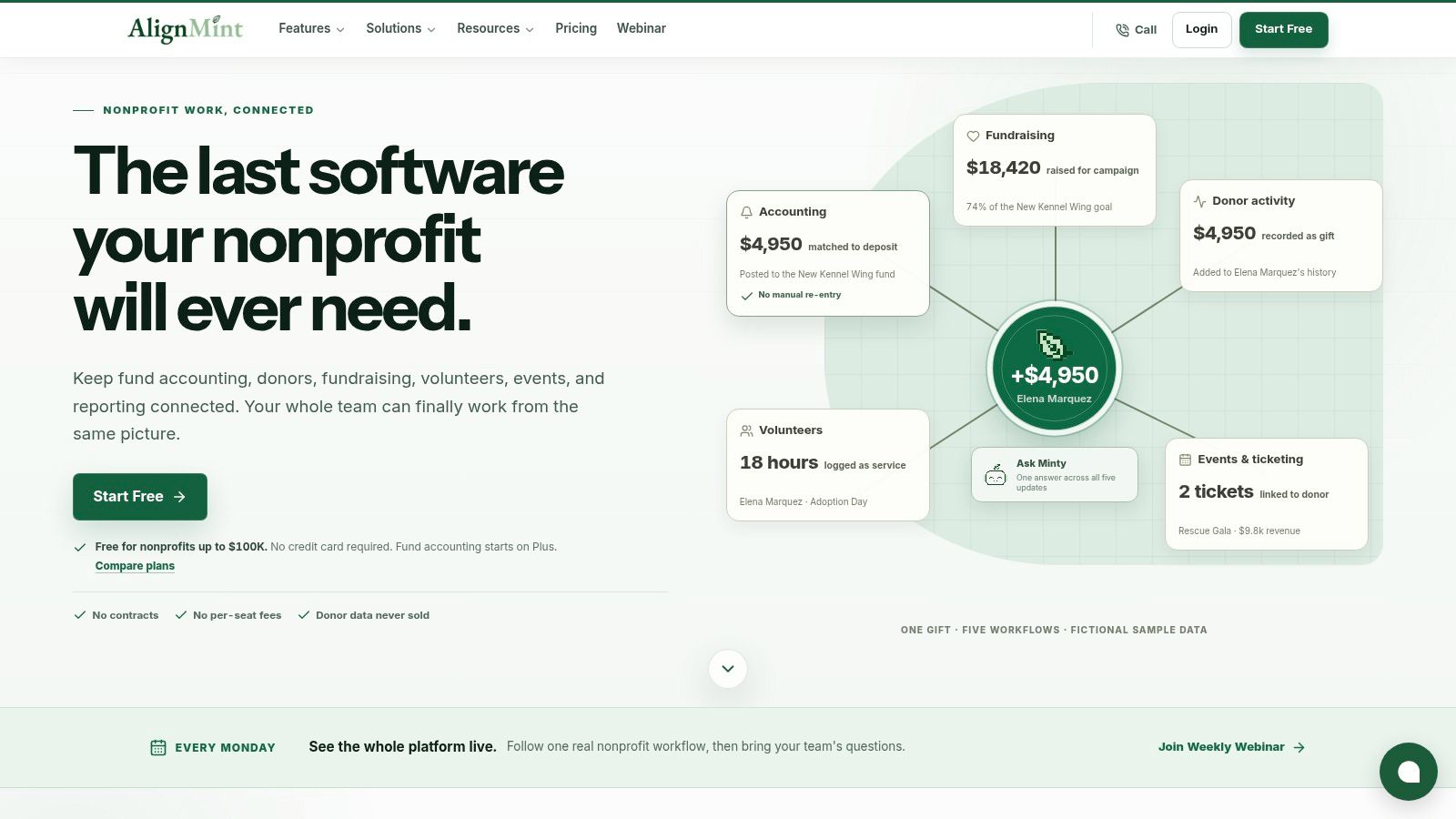
Alignmint is designed for nonprofits that are tired of stitching together accounting, fundraising, volunteer, event, and marketing tools. Its strongest distinction is that it treats fundraising and finance as one operating workflow, rather than leaving staff to reconcile separate systems after every campaign.
The platform includes fund accounting with restricted funds, grants, and programs modeled natively. That matters when the development team needs to see whether a gift is restricted, how grant drawdowns affect balances, or how fundraising activity flows into reporting. Statements of Functional Expenses and Form 990 reporting are part of the same environment, reducing the need to export data before finance staff can use it.
Where Alignmint fits
Alignmint's donor-centric CRM connects giving and finance data. Automatic receipting, pledge tracking, donor self-service portals, and direct bank-feed reconciliation address the administrative work that often appears after a successful campaign. Its donation-page builder, email and text campaigns, event ticketing, promo codes, and personalized Video Blast appeals give a team several ways to execute campaigns without adding another specialist tool.
Volunteer management is also built in. Staff can track skills, availability, background checks, groups, and hours through a volunteer portal. Minty AI answers questions about the organization's own data, which can help staff find operational insights without creating separate exports.
The trade-off is scope. An all-in-one system requires a careful implementation plan because finance, fundraising, volunteer, and marketing processes affect one another. Teams should test permissions, fund structures, approval workflows, and reconciliation before migrating live data. The platform states that it offers bank-level encryption, data isolation, and 99.9% uptime, while its pricing includes a free tier for organizations raising up to $100K per year, according to Alignmint's nonprofit fundraising platform.
Practical rule: Choose Alignmint when reducing tool sprawl and connecting restricted-fund accounting to donor activity matter more than keeping every department on separate specialist software.
2. GoFundMe Pro
GoFundMe Pro, formerly Classy, is built for organizations that treat fundraising campaigns as public-facing experiences. It suits teams running polished peer-to-peer, crowdfunding, event, and corporate-giving campaigns, particularly when campaign design and mobile donation flows receive close attention.
The campaign builders give fundraisers room to create branded donation pages, peer-to-peer journeys, and crowdfunding destinations. Event and ticketing tools support campaigns that need more than a simple form, while embeddable donation pages can keep the giving experience connected to an existing website. Corporate and employee giving capabilities add another route for supporter participation.
Best for campaign execution
The platform's strongest advantage is its campaign orientation. A large campaign team can create a more structured supporter journey, provide fundraisers with their own pages, and connect campaign communications to a recognizable donor experience. Access to the broader GoFundMe network may also be relevant to organizations that want their nonprofit presence connected to that ecosystem.
The limitation is less about capability than proportionality. GoFundMe Pro may be more platform than a small organization needs if its main requirement is a donation form and a basic recurring-giving workflow. Pricing is custom and isn't publicly posted, so a comparison should include implementation, processing, support, campaign modules, and renewal terms rather than focusing only on the initial proposal.
Ask the vendor to demonstrate a complete peer-to-peer journey. The test should cover fundraiser registration, page creation, donation processing, receipts, team reporting, refunds, and the handoff into the donor database. That exercise will show whether the polished front end is matched by reliable back-office operations.
Explore GoFundMe Pro if campaign presentation, large-scale peer-to-peer execution, and enterprise resources are central to the fundraising plan.
3. Donorbox
Donorbox is a practical choice for lean teams that need to launch quickly, particularly when recurring giving is more important than a deep enterprise CRM. Its donation forms and pages can support straightforward campaigns, while the wider toolkit adds peer-to-peer fundraising, crowdfunding, text-to-give, and in-person kiosk options.
The recurring-gift experience is the main reason to shortlist it. Teams can build recurring donation flows, encourage one-time donors to upgrade, and use donor-fee coverage options where appropriate. At events or community drives, text-to-give and kiosk capabilities can extend the platform beyond a website-only model.
Watch the plan boundaries
Donorbox also provides API and Zapier integrations, which can help a nonprofit connect forms to email, CRM, or operational systems. That flexibility is useful, but integrations don't automatically create a clean data architecture. Before launch, define which system owns the donor record, how recurring payment updates are synchronized, and how refunds or failed payments reach finance staff.
Platform fees vary by plan and feature. Advanced capabilities may require upgraded plans, so the team should model the full workflow rather than selecting the lowest visible entry point. Include recurring payments, text tools, kiosk use, integrations, receipts, and reporting in the cost review.
Donorbox works best when speed and donor conversion matter more than complex constituent management. It may not be enough as the central system for a large development operation with advanced portfolios, grant tracking, or extensive permissions. For a small team that wants a capable donation destination without a long implementation, Donorbox deserves a close look.
4. Givebutter
Givebutter takes a broad approach. It combines donation forms, peer-to-peer campaigns, crowdfunding, events, auctions, email, SMS, widgets, analytics, and a lightweight CRM. That combination makes it attractive to organizations that want a wide operating toolkit without committing immediately to a large enterprise system.
Its event functionality is a particular strength for teams running mobile bidding or auctions. The built-in email editor and Canva integration can help staff move from campaign idea to promotional asset without switching between several tools. Embeddable widgets make it easier to place fundraising actions on an existing website, while the CRM provides a usable foundation for supporter records and campaign reporting.
Where cost control gets complicated
Givebutter offers a $0 software fee option supported by optional donor tips. That can lower the barrier to launch, but a nonprofit still needs to explain the fee model internally and decide how it wants to present donor contributions. The Plus plan uses contact-based pricing, so costs can rise as the organization's list grows even if campaign volume doesn't change.
The platform is a strong fit for a small or mid-sized team that values usability and wants donation, event, and communication tools in one place. The limitation is CRM depth. Teams with demanding segmentation, complex relationship histories, or advanced development reporting may eventually need a more specialized system.
Campaign visibility depends on more than the fundraising page. A team that already produces educational content can use curated posts to support lead generation, then connect that content to the live appeal without making every social post a direct donation request.
Review Givebutter if broad functionality, quick implementation, and low initial software cost are more important than enterprise-grade donor segmentation.
5. Qgiv
Qgiv is a modular platform for organizations that want to choose fundraising capabilities around their campaign calendar. It supports donation forms, peer-to-peer fundraising, text fundraising, auctions, and event management, with a mobile event app called Givi.
The platform makes sense for a nonprofit whose operating problem is event execution. A gala, auction, or peer-to-peer event often requires registration, ticketing, giving, mobile bidding, text participation, and post-event reporting. Qgiv's event-oriented tools can keep those activities closer together than a collection of generic forms and spreadsheets.
The modular trade-off
Menu-style pricing offers useful visibility during the buying process. It also creates a responsibility for the buyer. Each module should be evaluated against actual campaign needs because the total can rise as the nonprofit adds auctions, text fundraising, peer-to-peer tools, or event features.
Accounting integration requires particular scrutiny. Some connections may still leave finance staff with manual reconciliation, especially when payments, refunds, ticket purchases, and auction activity follow different paths. Ask for a demonstration using the organization's expected transaction types, not a clean sample donation.
Qgiv's training and webinar resources can help teams build internal confidence, but staff still need ownership for data definitions and event procedures. Create a written process for registration changes, offline gifts, refunds, receipts, and the final transfer to accounting.
Qgiv is worth shortlisting when events and auctions drive the fundraising calendar and the organization prefers a modular purchase over a single all-in-one bundle.
6. Funraise
Funraise focuses on the public campaign experience while still offering a substantial event stack. Its drag-and-drop site and page builder gives staff control over campaign design, and its peer-to-peer tools support automated communications for fundraisers and supporters.
The platform is a strong match for teams that need to launch branded campaigns quickly without depending on developers for every page change. Events, auctions, virtual event tools, SMS, and text-to-give extend that experience into offline and hybrid fundraising. Live displays and check-in tools can help event staff manage the operational side rather than treating the donation page as the entire event system.
Test the economics of a campaign
Funraise's reporting includes Fundraising Intelligence, which can help teams examine campaign activity and donor behavior. Reporting depth still needs to be tested against real questions, such as which source codes generated gifts, how recurring donors are retained, and how event transactions reconcile with the CRM.
Pricing isn't fully transparent and is sales-led. Platform and processing fee implications may make donor-cover-fees strategies relevant, but the organization should assess that choice carefully. Donors may respond differently depending on how the request appears in the checkout flow, and finance staff need a clear record of what the donor paid versus what the nonprofit received.
The platform's design control is valuable, but more flexibility can also create governance work. Establish brand rules, page ownership, approval permissions, and accessibility checks before multiple staff members begin building campaigns.
Choose Funraise when speed to launch, campaign design, and events are more important than publicly posted pricing.
7. Neon One
Neon One combines Neon CRM with Neon Fundraise to connect online giving, peer-to-peer campaigns, events, pledges, and supporter records. Its operating promise is straightforward: reduce the gap between the fundraising campaign and the CRM record that staff use for follow-up and reporting.
The platform supports online giving, team fundraising, pledge campaigns, real-time dashboards, and unified supporter profiles. Neon Pay and third-party processor options give organizations some choice in payment architecture, although that choice should be examined for reconciliation, reporting, and support implications.
A CRM-led shortlist
Neon One fits a nonprofit that wants one vendor across CRM and fundraising without immediately moving into the complexity of a major enterprise development system. A connected constituent profile can help fundraisers see campaign participation and giving history in one place, provided field definitions and duplicate rules are configured properly.
Neon CRM has predictable entry pricing, while Neon Fundraise pricing is quote-based and not fully public. Some users report quirks and inconsistent support pacing, so the evaluation should include a direct conversation with implementation and support teams. Ask who handles data issues, how escalations work, and what response expectations apply after launch.
Social promotion should also connect to CRM governance. A campaign team needs to know whether social source data enters the constituent record, remains only in analytics, or requires manual tagging. Guidance on integrating a CRM with social automation can help frame that conversation, but the vendor must confirm the actual data path.
Neon One is a sensible option when CRM synchronization and peer-to-peer campaigns matter more than having the simplest possible donation form.
8. Blackbaud Raiser's Edge NXT
Blackbaud Raiser's Edge NXT is built for complex development operations. It combines constituent and gift management with portfolio and major-donor tools, analytics, AI-enhanced insights, and integrations across the Blackbaud ecosystem.
Its strength is governance at scale. A large fundraising department may need structured portfolios, relationship management, gift processing, detailed constituent history, and finance integration. Raiser's Edge NXT can support that depth, particularly for organizations already working with Blackbaud products such as Financial Edge NXT.
Governance comes with overhead
The same depth that makes the platform valuable can make it difficult to implement. Staff need training, data stewards need clear responsibilities, and administrators must define permissions and reporting standards. A powerful CRM won't fix inconsistent gift coding or unclear ownership of constituent records.
Pricing is sales-led and can be high. User feedback is mixed on costs and renewals, so procurement should ask for a complete commercial picture. Include licenses, implementation, integrations, support, renewals, data services, and any required consulting. Don't compare it with a lightweight donation platform using only the subscription line.
A serious evaluation should use real development scenarios. Demonstrate a major-gift portfolio update, a restricted gift, a recurring payment change, a campaign report, an export to finance, and a follow-up task. If the team can't perform those tasks confidently, the system's theoretical depth won't translate into operational value.
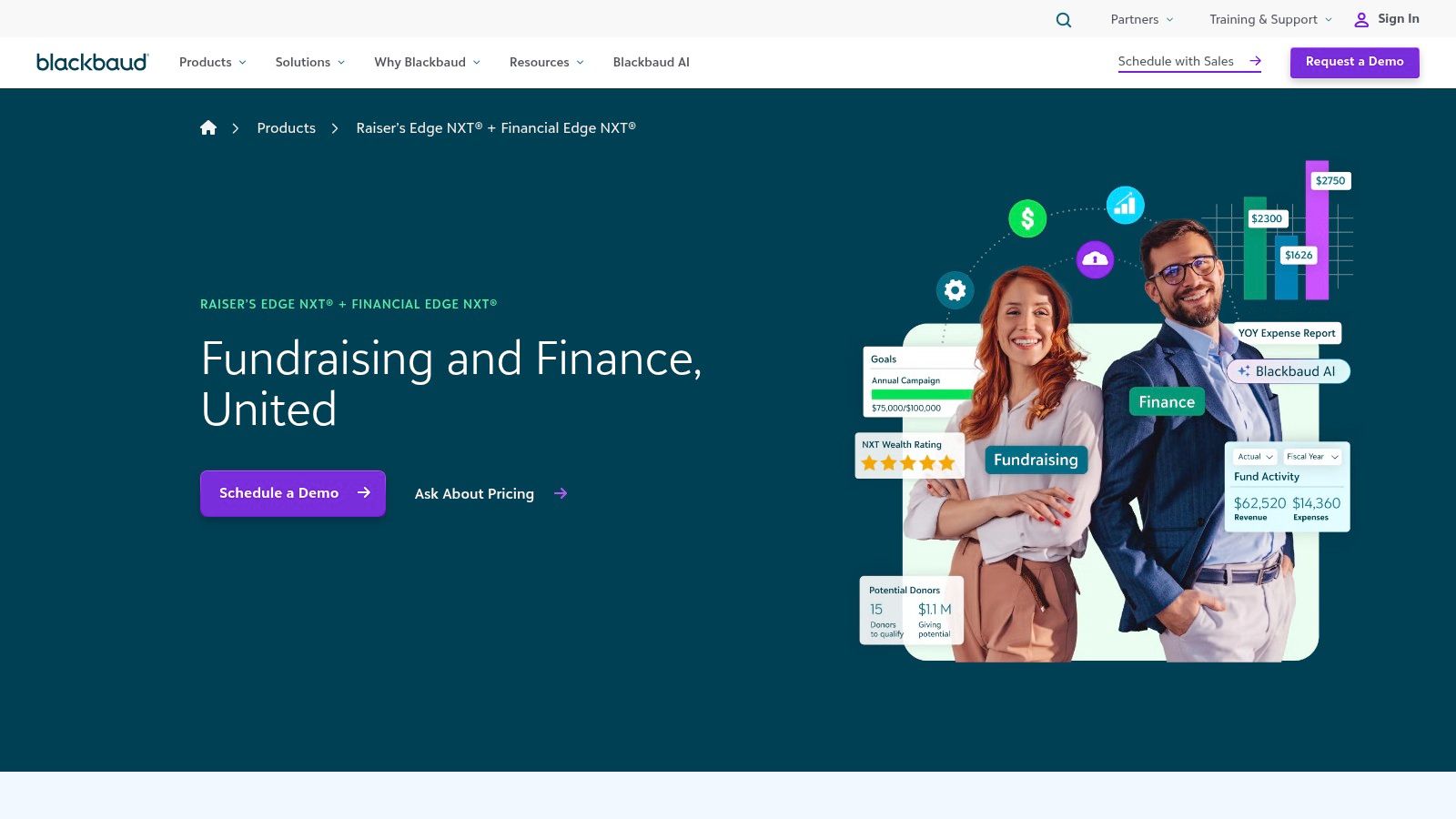
Consider Blackbaud Raiser's Edge NXT when enterprise development governance, major-gift management, and finance integrations justify a more demanding implementation.
9. Bloomerang
Bloomerang is donor-centric rather than event-centric. Its CRM, online giving, event registration, and Bloomerang Fundraising tools are aimed at helping nonprofits manage supporter relationships and reduce the number of disconnected systems.
The retention focus is useful for teams that need straightforward donor records, acknowledgements, giving history, and follow-up workflows. Bloomerang Fundraising, which uses Qgiv technology, adds peer-to-peer, text-to-give, auction, and event capabilities. Bloomerang Payments keeps payment processing closer to the fundraising workflow.
A practical middle ground
Bloomerang's constituent-based CRM pricing is predictable, which helps a nonprofit forecast costs as its database changes. The organization still needs to review separate fee considerations for payments and fundraising modules. A lower CRM price doesn't necessarily mean a lower total cost once event features, processing, support, and integrations are included.
Some users want richer email and design tools. That limitation matters if the fundraising team expects the CRM to serve as its primary communications studio. It may be better to treat Bloomerang as the donor and fundraising system, then connect a specialist communication tool if the built-in campaign design doesn't meet requirements.
The implementation workload is usually less about building a complex development architecture and more about cleaning existing records, defining retention segments, and configuring acknowledgements. Staff should agree on the difference between a new donor, a returning donor, a recurring donor, and an event participant before importing historical data.
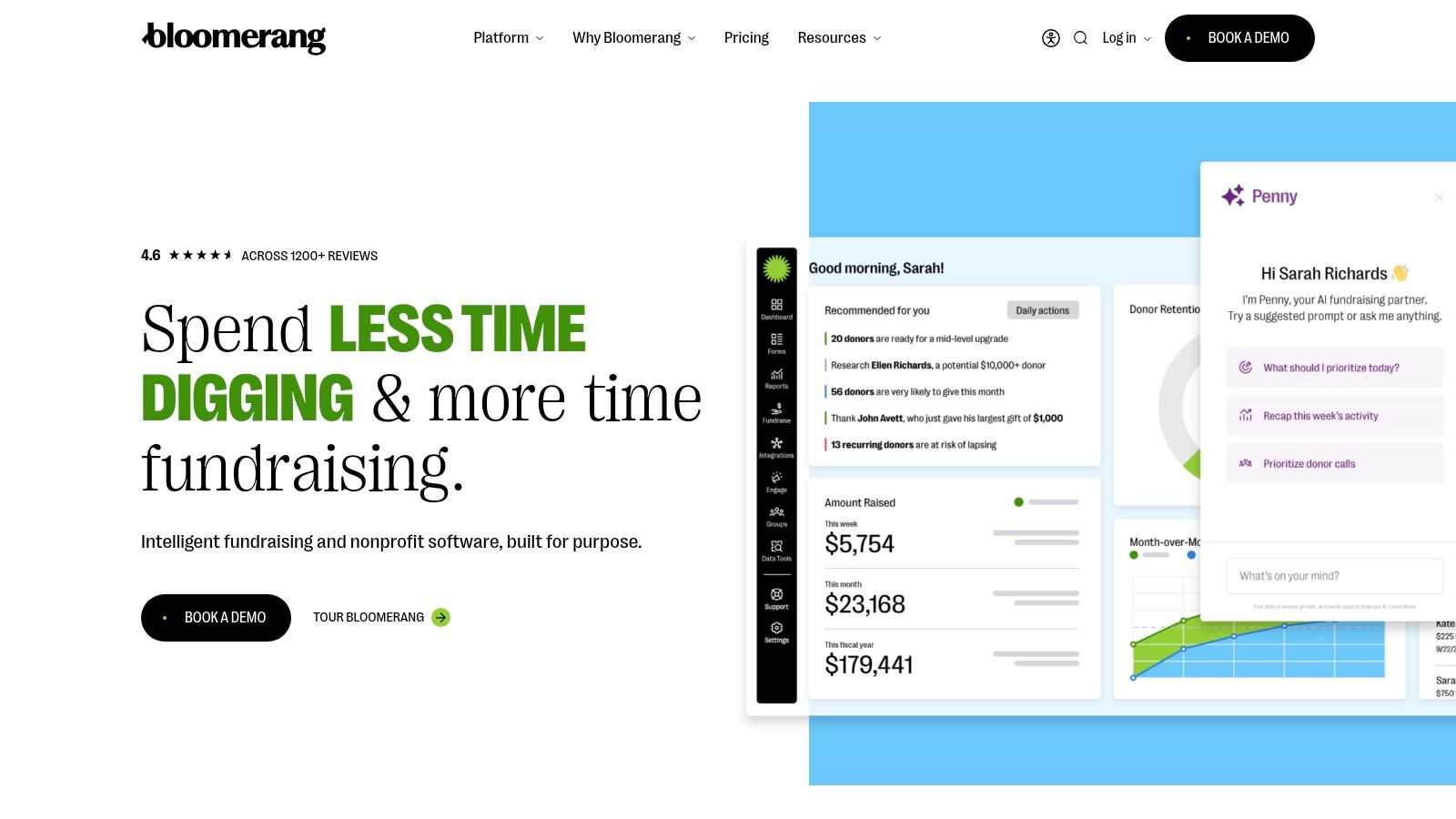
Explore Bloomerang if donor retention and ease of use are central, and the team doesn't need the deepest possible email or enterprise CRM functionality.
10. Give Lively
Give Lively is designed for qualified nonprofits that want core fundraising tools without platform, setup, or subscription fees. It provides campaign and donation pages, embeddable widgets, event and ticketing tools, text-to-donate, and exports that work well with Salesforce-oriented workflows.
That makes it especially relevant to small and mid-sized organizations managing cost control. A nonprofit can direct more attention to campaign setup and donor communications rather than carrying another software subscription. Zapier and Salesforce export options also give teams a path into a broader operating stack.
Review eligibility and depth
The main condition is membership eligibility. A nonprofit should confirm that it qualifies before building its campaign architecture around the platform. It should also assess whether the available feature depth and support match the team's needs. A free platform can be a poor fit if staff must create manual workarounds for reporting, donor deduplication, event changes, or finance reconciliation.
Give Lively publishes product updates and offers office hours, while supported processors can provide fast disbursements. Those are useful operational considerations, but they don't remove the need for a migration and support plan. Identify who owns exports, how often records move into the CRM, and what happens if a campaign needs a refund or correction.
Use a complete test donation before launch. Confirm the receipt, donor record, campaign attribution, processor settlement, Salesforce export, and follow-up communication. The test should include a recurring gift if the nonprofit plans to promote sustained giving.
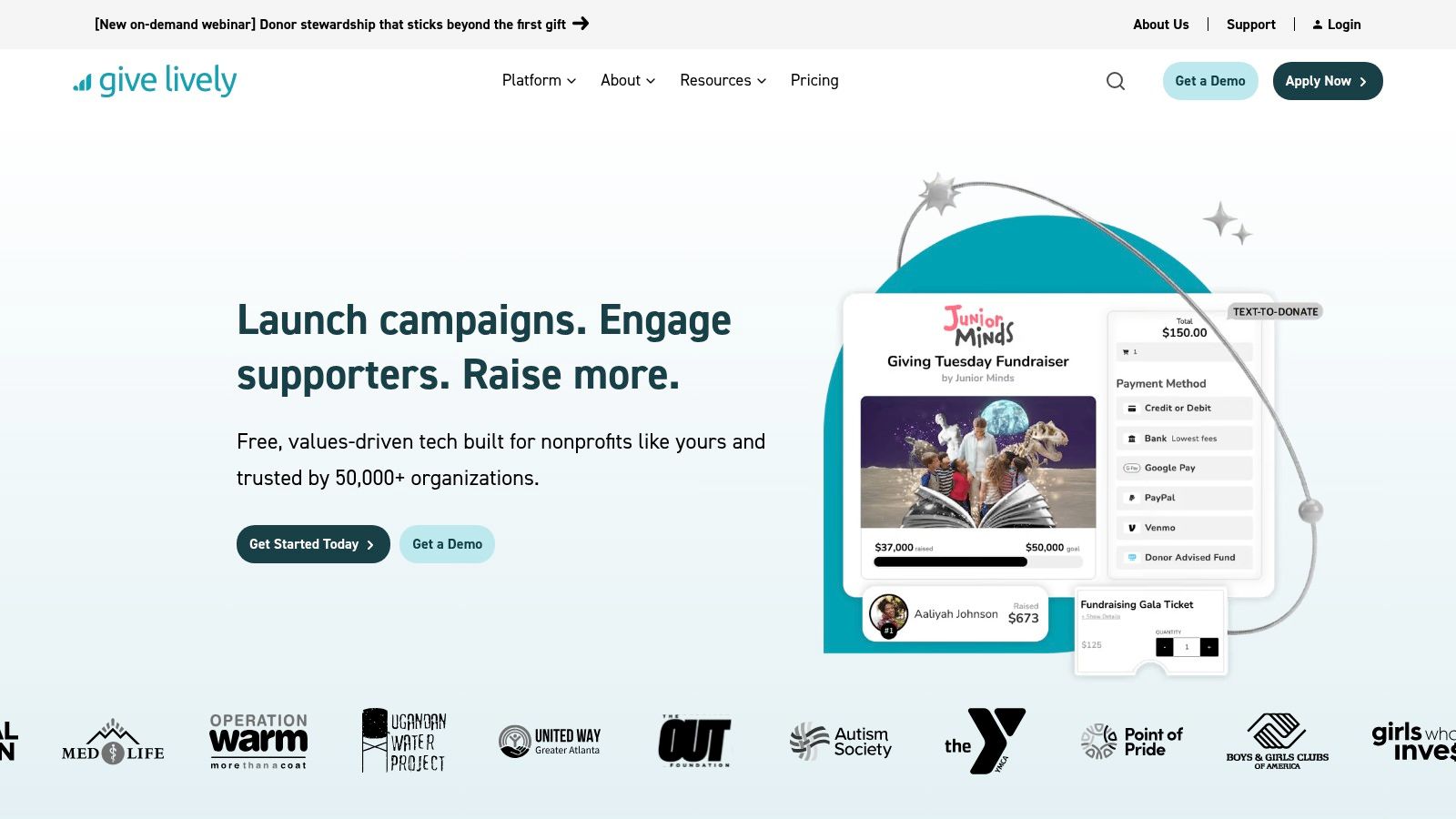
Give Lively is a strong cost-control candidate for an eligible organization with modest integration requirements and a team comfortable managing exports.
11. Zeffy
Zeffy takes the fee question head-on. It offers donation forms and pages, event ticketing, check-in, memberships, raffles, an online store, email, and a simple CRM while presenting $0 platform and transaction fees to the nonprofit. The model is funded by optional donor tips.
For small organizations and membership-led groups, that breadth can be compelling. One system can support a donation appeal, a ticketed event, membership cards and renewals, a raffle, or a small online store. Unified donor records reduce the need to maintain separate lists for each activity.
Understand the donor-tip model
The free model doesn't mean the financial conversation disappears. Staff need to decide how optional tips appear to donors, whether the presentation fits the organization's values, and how the team will explain the arrangement. Community feedback also debates tipping optics and whether the feature depth matches paid alternatives.
Zeffy is quick to launch, but simple CRM functionality may not satisfy a development team that needs complex portfolios, major-gift workflows, or advanced segmentation. Teams should also test event check-in, membership renewals, refunds, receipts, exports, and reporting before committing to a major campaign.
The lowest platform cost is only useful when the full donor experience still feels trustworthy and the resulting records remain usable.
See Zeffy if predictable nonprofit-side costs and a broad free toolkit matter more than advanced CRM depth.
Top 11 Nonprofit Fundraising Software Comparison
| Platform | Best for | Core capabilities | Pricing model | Standout USP | Considerations |
|---|---|---|---|---|---|
| Alignmint | Nonprofits needing unified ops (finance + CRM) | Fund accounting, donor CRM, volunteers, grants, bank feeds, AI insights | All features included; free tier up to $100K/year | Native fund accounting + finance-donor unity | Full ops focus; may suit orgs replacing many tools |
| GoFundMe Pro (formerly Classy) | Large campaigns & enterprise fundraisers | P2P, crowdfunding, events, embeddable pages, corporate giving | Enterprise pricing (custom) | Access to GoFundMe donor network | Can be overkill; pricing not public |
| Donorbox | Lean teams focused on recurring revenue | Donation forms, recurring, text-to-give, API/Zapier | Platform fees vary by plan | Fast launch and strong recurring-donor flows | Fees on some plans; advanced features need upgrades |
| Givebutter | Teams wanting broad features with low entry cost | Donations, events/auctions, email/SMS, lightweight CRM, widgets | $0 software-fee option; Plus tier paid | Free entry model with usable toolkit | Plus uses contact-based pricing; CRM depth limited |
| Qgiv | Midsize orgs with events & auctions | Custom forms, P2P, text fundraising, auctions, mobile app | Modular, add-on pricing (transparent) | Strong event & auction tooling | Costs add up with modules; some manual reconciliations |
| Funraise | Orgs prioritizing design & donor UX | Drag-and-drop pages, P2P, events, SMS, analytics | Sales-led pricing (not fully public) | Design control and fast launch | Pricing opaque; processing fee strategies needed |
| Neon One (CRM + Fundraise) | Orgs wanting single vendor CRM + fundraising | Online giving, P2P, pledges, real-time dashboards, unified profiles | Neon CRM predictable; Fundraise quote-based | Tight CRM–fundraising integration | Fundraise pricing by quote; some support inconsistencies |
| Blackbaud Raiser's Edge NXT | Large institutions with complex development ops | Constituent & gift mgmt, major-donor tools, analytics, integrations | Sales-led, enterprise pricing | Deep feature set + broad ecosystem | High cost, steep learning curve |
| Bloomerang | Orgs focused on donor retention & simple payments | Donor-centric CRM, online giving, events, integrated payments | Constituent-based CRM pricing (predictable) | Emphasis on retention workflows and training | Design/email tools less advanced; module fees possible |
| Give Lively | Small/mid nonprofits needing no-cost tools | Donation & campaign pages, P2P, events, text-to-donate, exports | No platform/subscription fees (eligible orgs) | Philanthropy-funded, free for qualified nonprofits | Eligibility required; lighter support/feature depth |
| Zeffy | Small orgs & membership groups seeking zero fees | Donations, events/ticketing, memberships, store, simple CRM | $0 software & processing (donor tips model) | True zero-cost positioning for nonprofits | Relies on donor tips; debate over tipping optics and depth |
Turn the Shortlist Into a Confident Decision
A defensible purchase starts with the campaign types the nonprofit runs. List the required workflows, including one-time donations, recurring gifts, peer-to-peer campaigns, crowdfunding, ticketed events, auctions, memberships, text-to-give, grants, major gifts, and physical-goods drives. A platform that handles a basic donation page may still be a poor choice if the team spends much of the year managing events or recurring supporters.
Test the donor experience on a mobile device. The journey should cover the landing page, payment method, recurring-gift choice, confirmation, receipt, and follow-up. Check accessibility, page speed, form clarity, and the way the platform handles failed payments, refunds, duplicate gifts, and donor updates. The best campaign design isn't useful if a supporter can't complete the transaction or staff can't correct the resulting record.
Review the commercial and data terms
Pricing scrutiny should go beyond the monthly or annual subscription. Ask for every platform fee, processing fee, module charge, contact-based price change, implementation cost, payment requirement, support charge, renewal condition, and cancellation term. Donor-cover-fees and optional donor-tip models need an internal policy, not just a checkbox in the checkout flow.
Data ownership deserves equal attention. Confirm who owns donor records, campaign content, forms, exports, payment history, and analytics. Ask whether the nonprofit can retrieve complete data in a usable format, how long exports take, and what happens to records after cancellation.
The CRM conversation should be specific. Find out how the platform handles:
- Duplicate records: Test matching rules for people who give through a website, event, peer-to-peer page, and offline channel.
- Synchronization: Confirm which system owns the donor record and how changes move between the fundraising platform, CRM, email system, accounting tool, and payment processor.
- Reporting exports: Run a campaign report with source attribution, recurring status, refunds, fees, restricted funds, and settlement data.
- Permissions: Define what fundraisers, finance staff, volunteers, managers, and administrators can view or change.
- Migration: Ask who cleans, maps, imports, validates, and de-duplicates historical donor data.
Don't approve a demo based on a successful donation alone. Test the receipt, record creation, reconciliation, reporting, and follow-up that happen afterward.
Event operations need their own review. Walk through registration changes, ticket transfers, promo codes, check-in, auction bidding, offline payments, refunds, staff permissions, and post-event acknowledgements. If the nonprofit runs peer-to-peer campaigns, have a real fundraiser create a page and review the participant's instructions, communications, team reporting, and payout process.
Support and implementation can determine whether a platform succeeds. Ask to meet the implementation team before purchase. Confirm the expected timeline, training format, migration responsibilities, documentation, escalation process, and support channels. A sandbox is valuable because it lets staff work through the nonprofit's own workflows instead of reacting to a polished sales demonstration.
Put the operating plan in writing
Assign one owner for the implementation and one owner for data quality. Clean existing donor data before migration, agree on field definitions, configure acknowledgements, define campaign codes, and document reconciliation between the fundraising platform, bank, processor, and accounting system.
Start with a pilot. Use one campaign that includes the nonprofit's normal donation, receipt, reporting, and follow-up requirements. Review the results with fundraising, finance, communications, and leadership staff before expanding to events, peer-to-peer campaigns, or automated journeys.
Define success qualitatively and operationally. Staff should know which reports must be available, which acknowledgements must go out, which records must sync, which payments must reconcile, and how quickly the team needs to respond to donor issues. Those standards make it easier to judge a platform after launch instead of relying on a vendor's feature list.
Social promotion should support the fundraising workflow without becoming a second disconnected project. Adapt the campaign message for each network, create the schedule before launch, and prepare different versions for X/Twitter, LinkedIn, Facebook, and Bluesky. A donor story may work as a concise X/Twitter post, a professional impact explanation on LinkedIn, a community-focused Facebook update, or a shorter conversation starter on Bluesky.
Quuu can help generate on-brand posts and visuals, schedule content, format it for each network, and maintain a consistent queue. Use it when the communications team needs support turning one campaign brief into channel-specific content, then review or approve posts before publishing when the message involves sensitive beneficiaries, restricted funds, urgent appeals, or partner relationships. Analytics should guide later timing and content decisions rather than only reporting that a post went live.
The right nonprofit fundraising software isn't automatically the biggest system or the cheapest one. It's the platform your team can operate accurately, affordably, and consistently after launch, with clean donor data, understandable costs, reliable reconciliation, and enough campaign flexibility to support the way your nonprofit raises money. Build the shortlist around those conditions, test the complete donor journey, and choose the system staff can keep healthy when the campaign rush is over.
Before signing a contract, connect your nonprofit's social profiles and build the first campaign promotion schedule in Quuu. Prepare channel-specific drafts, review the visuals and calls to action, approve the queue, and use the resulting analytics to improve the next appeal.