10 Software for Tutors Options for Every Use Case
Compare software for tutors across virtual classrooms, scheduling, billing, LMS tools, and assessments, with pros, cons, pricing notes, and workflows.

You're probably juggling two very different realities. A solo tutor needs a clean way to run lessons, collect payments, and keep parents informed, while a tutoring agency or small academy has to assign teachers, track attendance, manage payroll, and see who owes what without rebuilding the same information in five places. The best software for tutors depends less on the word “tutoring” and more on the operating model, roster size, subject format, and how much administration you're willing to carry.
That's why this comparison starts with the job you're trying to run. An all-in-one management platform can replace calendars, invoice tools, payment links, generic CRMs, and messaging apps. A virtual classroom can be a genuine bottleneck if lesson delivery is clunky. A persistent whiteboard matters more in math and science than in essay coaching, while an LMS-oriented tool makes more sense for cohorts, assignments, and repeatable course content. The comparison below focuses on use case, strongest fit, limitations, setup friction, and how each tool fits into a practical workflow.
One quick note on promotion workflows, since tutoring businesses often mix service delivery with marketing. Quuu is not a tutoring platform. If you need to promote lessons or a tutoring business across social channels, Quuu is a separate content-automation option, but it sits outside the tutoring stack itself.
Table of Contents
- 1. Tutorbase
- 2. TutorCruncher
- 3. Teachworks
- 4. TutorBird
- 5. LearnCube
- 6. Lessonspace
- 7. BitPaper
- 8. Bramble
- 9. ClassIn
- 10. VEDAMO
- 11. Teach ’n Go
- Top 11 Tutor Software Comparison
- Build the Smallest Stack That Supports Better Lessons
1. Tutorbase
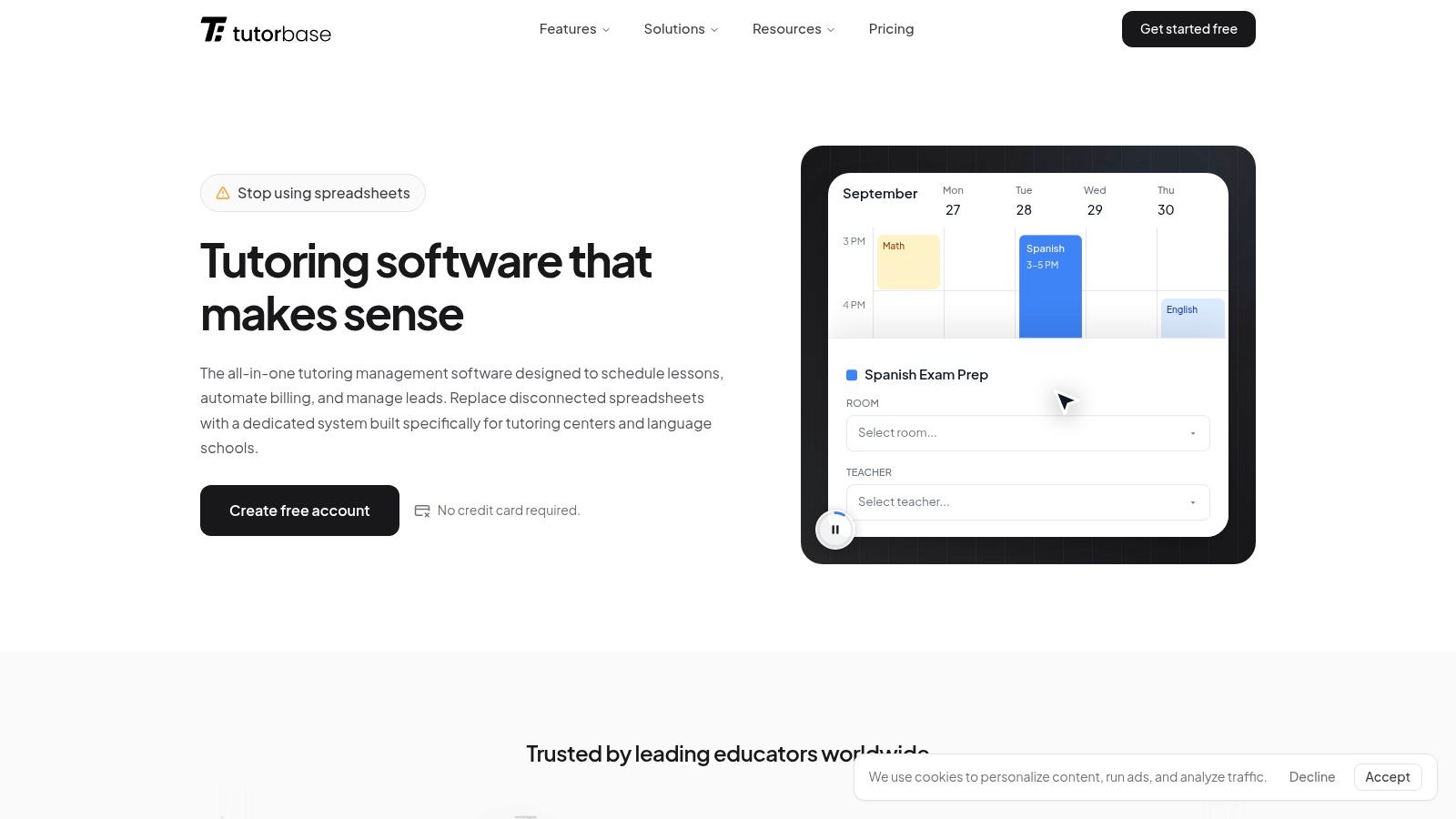
Tutorbase is a strong fit for an ambitious solo tutor who wants professional client records, scheduling, and invoicing in place early, then a clear path to hiring teachers later. The Tutorbase for solo tutors page shows how to manage clients, recurring lessons and invoices from day one. Tutorbase becomes especially valuable when the tutor adds lesson packages, parent billing, and a second teacher.
A practical example starts with one tutor managing student records, recurring sessions, and package balances in one place. Later, when that tutor adds a second math or science teacher, the same setup can match a subject-qualified teacher to a student, check room availability, and avoid scheduling conflicts before a lesson is confirmed. Tutorbase's AI-assisted Find Slot feature suggests suitable teacher, room and time combinations. Once attendance is marked, the same workflow can trigger the right package deduction, family invoice, and teacher pay, which reduces reconciliation work as the business grows.
Where it fits best
Tutorbase fits solo tutors planning to grow into a small team, plus centers that already need tighter operations. It is most useful when the business side of tutoring is becoming the bottleneck and you want scheduling, records, packages, billing, and payroll to stay connected as you expand.
Compared with TutorBird, the distinction is more about operating model than quality. TutorBird is a practical lighter choice for booking, invoicing and a basic website, and it does support multiple tutors and payroll. Tutorbase is the stronger starting choice for a solo tutor who expects to hire and run a center because subject-aware assignments, room capacity, packages, family billing and teacher pay are connected in one workflow.
Pricing is straightforward. The core product is free, Tutorbase charges a 1% platform fee when you invoice through the system, and payment processing fees are separate.
The trade-off is straightforward too. A tutor who only needs a video room or whiteboard may prefer a lighter teaching tool. Tutorbase makes more sense when you want today's solo workflow to carry forward cleanly into teacher assignment, family invoicing, attendance, and payroll later.
2. TutorCruncher
TutorCruncher is a better fit once a tutoring business has outgrown ad hoc admin and needs a proper back office. It centralizes scheduling, invoicing, payments, payroll, and client and tutor portals, which is exactly the bundle agencies tend to struggle with once contractors, recurring lessons, and different billing arrangements start piling up.
The platform is strongest when a business assigns tutors to clients, tracks who taught what, and turns that activity into invoices and pay runs without bouncing between tools. It's especially appealing for agencies because the workflow is designed around contractor management and invoicing rather than marketing pages or front-end polish.
What to test before you commit
- Assignment logic: Check how easily you can match tutors to clients and availability.
- Recurring billing: Make sure subscription or package workflows fit the way you sell lessons.
- Portal behavior: Test what parents, tutors, and administrators each see in daily use.
- Manual exceptions: Look closely at the steps that still require staff intervention, especially around credits and adjustments.
The main strength is centralization. The main drawback is that a platform like this can take time to configure properly, especially if your team is trying to model several pricing rules or tutor arrangements at once. That's not a flaw if you have operations staff. It becomes a problem if you expect the software to behave like a simple booking tool.
For solo tutors, TutorCruncher can feel heavier than necessary. For agencies with multiple contractors, recurring lessons, and billing complexity, it's much more appropriate than trying to force a generic CRM into the role.
3. Teachworks
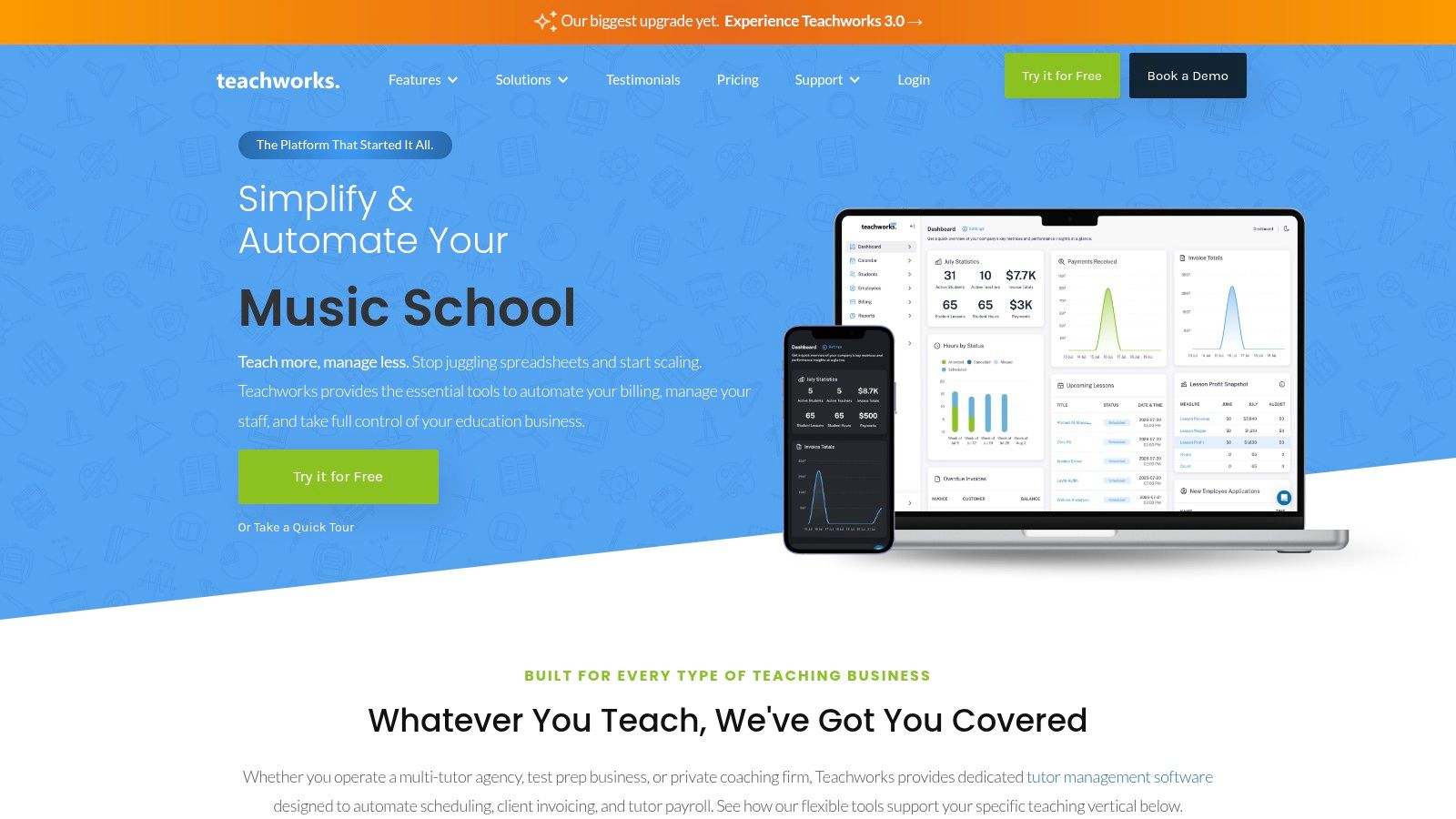
Teachworks is one of the clearest choices for businesses that care most about operations discipline. It's built around scheduling, invoicing, payroll, attendance, reminders, and add-ons, which makes it a good fit for lesson businesses that need structure without a lot of visual clutter. The platform's appeal is that it stays focused on the work that happens after a lesson is booked.
That focus also makes it easy to understand where it shines. If your business has many students and teachers and you want a system that tracks lessons, calculates payroll, and produces invoices in a repeatable way, Teachworks does that job well. Its scheduling software overview is useful background if you're comparing how scheduling sits inside a broader operations stack.
Why tutors pick it
Teachworks is often a practical option for businesses that want transparent, per-lesson billing and a mature feature set. It's also built to handle scale without forcing you to constantly retool the system as your roster grows. The trial period gives you time to test the flow before you commit.
The trade-off is that the interface leans more toward operations than branding. If you want a highly polished client-facing experience or strong marketing-site features, you'll likely need something else alongside it. That's fine if Teachworks is doing back-office work and another tool handles acquisition.
Teachworks is a backend system first. If you expect it to sell lessons for you, you'll be disappointed. If you want it to keep the lesson business organized, it earns its place.
The other thing to watch is cost behavior. Per-lesson billing can work well if your volume and usage patterns are predictable, but it's worth checking how the math behaves as your roster grows. That's the sort of detail that's easy to miss in a demo and annoying to discover later.
4. TutorBird
A solo tutor taking payments by Stripe, sending reminder emails, and sharing worksheets with parents does not need a heavy agency stack. TutorBird fits that smaller operating model well because it brings scheduling, invoicing, client portals, reminders, file sharing, and even a website builder into one place.
The practical value is simple. Many private tutors need one calendar, one billing flow, and one place where clients can check lesson details without back-and-forth messages. TutorBird handles that day-to-day work without asking you to assemble a separate system for every task.
It also works for teams that are still small enough to keep operations lightweight, but no longer want to manage admin in spreadsheets. The built-in website tools help if you want a basic public presence, and the client portal reduces the need for constant email updates.
TutorBird is also easier to connect into a lean workflow than many all-in-one tools. Its integrations with Zoom, Stripe, PayPal, and Zapier let online tutors keep teaching, booking, and payment collection in a single routine. That matters most when you are still handling the business yourself and do not want a separate admin stack just to stay organized.
Best fit scenarios
- Solo tutors: Keep bookings, invoices, and client communication in one system.
- Small tutoring teams: Cut admin without buying a larger agency platform.
- Tutors who want a basic website: Use the built-in site tools instead of stitching together separate software.
The trade-off is depth. TutorBird is approachable, but it does not try to compete with more advanced analytics, white-label branding, or highly customized permissions. A multi-location business may outgrow it.
For many solo tutors, though, that limitation is the point. A tool that covers the core work cleanly is often the better choice than one that adds features you will not use.
Good enough beats overbuilt when the business is still small and you are the one doing most of the admin.
5. LearnCube
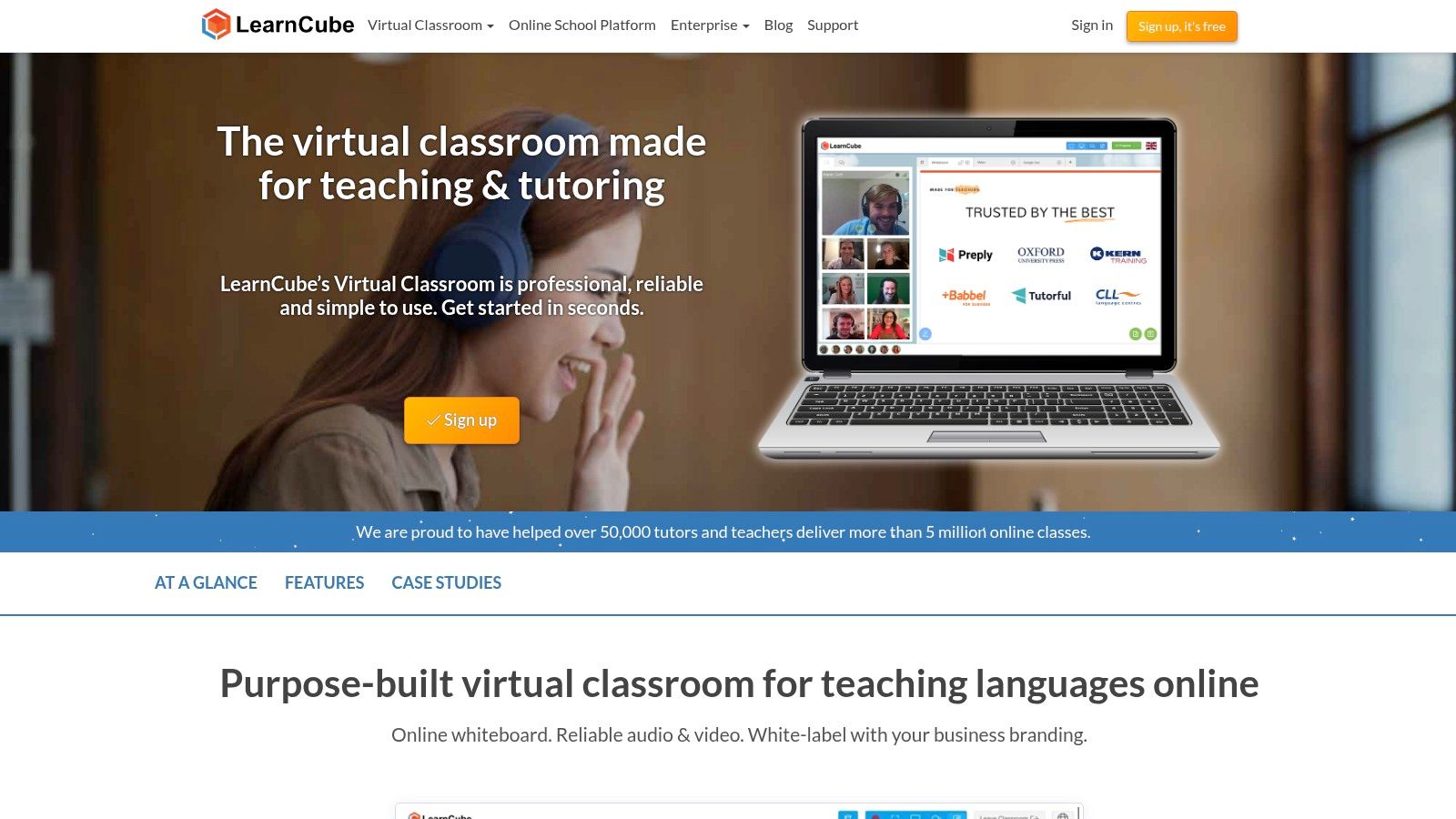
LearnCube fits tutors who want the lesson room to do the teaching work. The platform gives you an interactive whiteboard, materials library, breakout rooms, branded classroom space, attendance, and class reporting, so subject-heavy sessions feel organized without dragging teachers through a generic video call.
That matters in real tutoring workflows. A math tutor can keep problems, notes, and examples inside the session, while a language tutor can move between discussion, shared material, and breakout practice without switching tools. The optional online school features also help larger providers add scheduling and reminders when live delivery is no longer the only task.
Where LearnCube makes sense
LearnCube works best for tutors who already have bookings and payments handled elsewhere and want the classroom to work better. It can suit solo tutors and larger providers, but only as part of a wider stack, not as the center of the whole business.
If you are still assembling the surrounding stack, our guide to content curation for learning covers how to keep lesson materials flowing.
Its focus is live teaching delivery, which is a strength if you want clean sessions and fewer distractions during lessons. The browser-based setup also lowers friction compared with classroom tools that need heavier installs or more technical onboarding.
The trade-off is simple. If you need a full marketing site, billing system, or detailed client management workflow, LearnCube does not try to cover those jobs. It handles teaching well, but it still needs a companion CRM or admin tool for the business side.
6. Lessonspace
Lessonspace suits tutors who want the classroom itself to carry the lesson. The setup centers on a collaborative live room with recording, transcription, lesson summaries, cobrowser tools, and integrations with tutoring CRMs, so teachers can stay inside one teaching space instead of juggling tabs.
That works well in real tutoring workflows. A subject tutor can keep the explanation, notes, and follow-up material in the same session, while an agency can pair Lessonspace with separate tools for bookings, billing, and student records. The usage-based model can also fit businesses whose lesson volume changes across the year, since cost tracks activity more closely than a large fixed stack.
The trade-offs are real
Lessonspace is strongest when you care about classroom UX and clean live delivery. It becomes less attractive if you regularly teach larger groups, because participant limits and extra usage fees can change the cost of a session quickly. Test it with your actual lesson format, not just a polished demo.
Recording and auto-generated summaries are useful when students revisit material after class. The key question is whether your students open the recordings and summaries after class. If they do, Lessonspace can reduce recap work and support follow-up without forcing teachers to write everything by hand.
Treat it as the classroom layer of your stack and let your CRM keep doing the admin.
7. BitPaper

BitPaper is a strong choice when your subject depends on writing, sketching, or working through steps on a shared board. Its persistent papers can be saved and revisited, which gives tutors a practical advantage in math, science, and handwriting-heavy lessons where the work from one session matters in the next.
That persistence is the true differentiator. A disposable whiteboard is fine for a quick concept check. A board you can return to next week is better when you want students to review corrections, compare earlier attempts, or keep building on the same problem set over time.
Why it stands out
BitPaper's annotation tools are easy to learn, and the built-in audio and video make it feel like a live teaching space instead of a static whiteboard. The flexible licensing also means it can serve solo tutors, teams, and larger organizations without forcing everyone into the same buying model.
The limitation is just as straightforward. BitPaper is not your scheduling or billing layer. It pairs best with a CRM or tutoring management platform, not as a standalone business system. That's not a weakness if your workflow already covers payments and admin elsewhere.
If you teach subjects where visual correction matters, this is one of the more useful tools on the list. If your lessons are mostly conversational or reading-based, its value is lower. The tool should match the subject, not the other way around.
8. Bramble
A tutor who wants last week's lesson to be searchable later has a different problem to solve than a tutor who just needs a live whiteboard. Bramble focuses on recording, transcription, AI synopsis, and Smart Search, so the session itself becomes something you can review after it ends. If a student asks what was covered, or if you need to check a misunderstanding, that history is easier to find than rebuilding the lesson from memory.
For solo tutors, that can make follow-up cleaner. For agency owners, it can make review and oversight more practical because you can check what was said, what was typed, and what was shared without rewatching everything from start to finish. The trade-off is that this helps with accountability more than with operations.
Bramble works best in a narrow role:
- Revision support: students can return to lesson content later.
- Quality assurance: owners can review sessions in a more systematic way.
- Lightweight rollout: tutors can test it without a heavy setup.
It is still a live tutoring session app, not a full CRM or school management system. Group capacity is more limited than in full LMS-style platforms, so cohort delivery can outgrow it quickly. If you need admin automation, payments, or broader program management, Bramble needs a companion platform.
9. ClassIn

ClassIn is closer to a full online school environment than a simple tutoring app. It includes an interactive blackboard, breakout rooms, labs, assignments, tests, admin controls, and analytics, which makes it a better fit for tutoring businesses that run classes, cohorts, or structured programs rather than only one-to-one lessons.
That broader classroom model is useful when teaching has to look and feel more like a school. If students need assignments graded, tests tracked, and multiple teachers coordinated inside one environment, a lightweight video tool won't do enough. ClassIn is built for that richer instructional workflow.
Where it earns attention
The platform is strong on interactive teaching tools and scale. It gives administrators more visibility, and it has enough classroom structure to support larger operations that need consistency across multiple instructors or programs. If your business is moving into cohort-based delivery, it's more relevant than a basic virtual classroom.
The drawback is complexity. First-time users can find the interface dense, and the pricing structure isn't always as simple as smaller tools. That means the demo matters a lot more here than it does for a lighter classroom app.
ClassIn makes sense when the lesson format is moving toward an online school model. If you're still mostly booking private sessions, it may be more platform than you need.
10. VEDAMO
A tutor who starts with live one-to-one lessons and later adds group classes needs software that can grow without forcing a full rebuild. VEDAMO fits that path. It combines a whiteboard, breakout rooms, screen sharing, recording archives, branding, and optional LMS features for courses, quizzes, and notifications, so the same setup can support private sessions, cohorts, and more formal course delivery.
The practical question is whether you want a classroom first, or a back-office system first. VEDAMO is stronger on teaching delivery than on administration, so it suits tutors and small providers who need a live classroom now and only moderate course management later. For agencies that already depend on a separate CRM or invoicing stack, that split can be fine. For businesses that want everything in one place, it can feel incomplete.
What to watch
- Free-plan limits: The trial is enough to inspect the interface, but not enough to judge group teaching properly.
- Storage and rooms: The setup you need affects the plan you choose.
- Branding needs: Check how much of the classroom you can make feel like your own.
If you also run webinars or group info sessions alongside lessons, our roundup of AI tools for webinars pairs well with VEDAMO's classroom features.
VEDAMO makes sense for tutors who want a web-based classroom with a path toward courses and cohorts. It is less useful if you need deeper admin control, since that is not where it does its best work.
11. Teach ’n Go
Teach ’n Go is aimed at tutoring centers and academies that want a broader school management platform. It covers scheduling, attendance, grading, messaging, fees, payments, payroll calculations, portals, and mobile access, so it's more like a combined SIS and LMS than a simple tutoring app.
That makes it useful when tutoring has become a structured business with classes, levels, and staff coordination. If you're managing multiple locations or a growing student base, the predictable student-based pricing model can be easier to plan around than tools that charge per lesson or rack up add-on fees.
When it's the right fit
Teach ’n Go is a solid option if your business behaves more like a school than a solo practice. It gives administrators, teachers, and parents a shared workspace, which reduces the need for scattered messages and manual tracking. It also has migration support, which matters more than people expect when they're switching from spreadsheets or a patchwork of older tools.
The downside is that it may be too much for a one-person tutoring business. The terminology and workflow lean toward schools, not just private tutoring. If you only need a clean booking and invoicing layer, you'll probably find it heavier than necessary.
For academies and multi-location providers, though, it's one of the more coherent all-in-one choices on the list.
Top 11 Tutor Software Comparison
| Product | Core focus | Key features | Target audience | Pricing model |
|---|---|---|---|---|
| Tutorbase | AI-native all‑in‑one tutoring OS (CRM, scheduling, billing, payroll, portals) | Attendance-driven workflows; automated invoicing & teacher pay; Stripe; AI automation | Solo tutors to multi-location centers and agencies | Subscription; scalable plans (contact sales) |
| TutorCruncher | End-to-end tutoring CRM / back office | Scheduling & tutor matching; invoicing & payroll; portals; subscriptions | Multi-tutor agencies and growing solo practices | Subscription; tiered pricing |
| Teachworks | Scheduling, invoicing & payroll with per-lesson model | Flexible scheduling & reminders; payroll calc; integrations & API | Large rosters and scale-focused organizations | Subscription + per-lesson fees |
| TutorBird | Budget-friendly management for private tutors & small teams | Calendar/attendance sync; automated invoices; Stripe/PayPal; simple website builder | Solo tutors and small centers | Low flat pricing; 30‑day trial, 90‑day money‑back |
| LearnCube | Education-first virtual classroom & branded classroom | Interactive whiteboard; breakout rooms; materials library; Online School option | Tutors wanting tutor-centric live classrooms to enterprises | Freemium; paid tiers for school/API features |
| Lessonspace | Modern live tutoring "Spaces" with usage pricing | Session recording & transcripts; cobrowsing; API & CRM integrations | Solo tutors through agencies needing stable classroom delivery | Usage-based, pay-as-you-grow pricing |
| BitPaper | Persistent collaborative whiteboard for tutoring | Persistent "papers"; strong ink/annotation; integrated audio/video; storage | Math/science and handwriting-heavy tutors | Freemium → paid Individual/Team plans |
| Bramble | Recording, transcription & searchable lesson content | Unlimited recording; AI synopsis; searchable transcripts; PDF export | Tutors prioritizing revision, safeguarding and QA | Freemium (1:1 free); paid Pro for groups |
| ClassIn | Full virtual classroom + LMS-style course management | 20+ interactive tools; assignments/tests; analytics; admin portal | Organizations and schools running cohorts and large classes | Varied plans; business/enterprise (contact sales) |
| VEDAMO | Virtual classroom with optional LMS & branding | Unlimited sessions; interactive archives; custom branding; quizzes | Solo tutors to schools upgrading to LMS | 30‑day free (1:1); paid tiers by storage/rooms/users |
| Teach 'n Go | SIS + LMS + billing for tutoring centers & academies | Class scheduling, attendance, grading; payments; payroll; portals | Multi-location tutoring providers and academies | Flat pricing by active students |
Build the Smallest Stack That Supports Better Lessons
The cleanest way to choose software for tutors is to start from your bottleneck, not from feature lists. If scheduling, billing, portals, and payroll are the problem, pick an all-in-one management platform such as Tutorbase, TutorCruncher, Teachworks, TutorBird, or Teach ’n Go. If lesson delivery is the problem, choose a virtual classroom first, such as LearnCube, Lessonspace, Bramble, ClassIn, or VEDAMO. If the subject demands persistent boards or replayable work, add BitPaper or a recording-first tool. If you're running cohorts, quizzes, and course content, move toward an LMS-oriented option rather than forcing a lightweight classroom to act like a school.
The best implementation is usually smaller than the business wants. Run one real learner or one class through the stack before you migrate everyone. Test one payment cycle, one attendance workflow, and one post-lesson follow-up. That pilot will expose the friction that demos hide, especially around parent access, teacher compensation, recurring sessions, and what happens when a lesson changes at the last minute.
A practical setup checklist helps keep the rollout grounded. Confirm calendar rules, including recurring bookings, cancellations, and conflict handling. Test payment collection against the actual payer relationship you use. Check student and parent access, especially what they can see and change. Confirm recording consent if sessions are stored. Ask for data export options before go-live, not after. Verify support response and onboarding help. Review integration needs with your CRM, calendar, payment processor, and classroom tools so you don't rebuild the same workflow later.
If your tutoring business also needs to promote services, keep that separate from tutoring operations. Quuu can help with drafting, scheduling, and analyzing social posts across supported networks, but it isn't tutoring software and shouldn't be treated like part of the teaching stack.
The best tutor software stack is the one your staff will use on busy days. Keep it small, test it with real lessons, and only add tools that remove work instead of shifting it around.